Pick up patient calls. Book the visit, even after hours.
Route patient calls by clinic and working hours, let an AI front desk book appointments in Arabic and English, and send reminder campaigns that respect your calling window.
7-day free trial · no card · usually verified within 1 business day · onboarding call · then set up with a number in about 2 minutes
- Call flows by working hours
- AI front desk books in Google Calendar
- Reminder campaigns with do-not-call checks
- English, Arabic, Italian, French and Spanish transcripts

Trusted by 1,000+ companies






Patients hang up when the front desk is busy.
Missed calls are missed bookings
The front desk is checking a patient in while the phone rings. After hours, nobody answers at all.
Reminders eat the morning
Staff spend hours calling tomorrow’s patients one by one, and no-shows still slip through.
Complaints surface too late
A patient who called three times about the same bill only shows up when they leave a bad review.
What a clinic runs on TalkChief.
Shipped features, shown with fictional demo data.
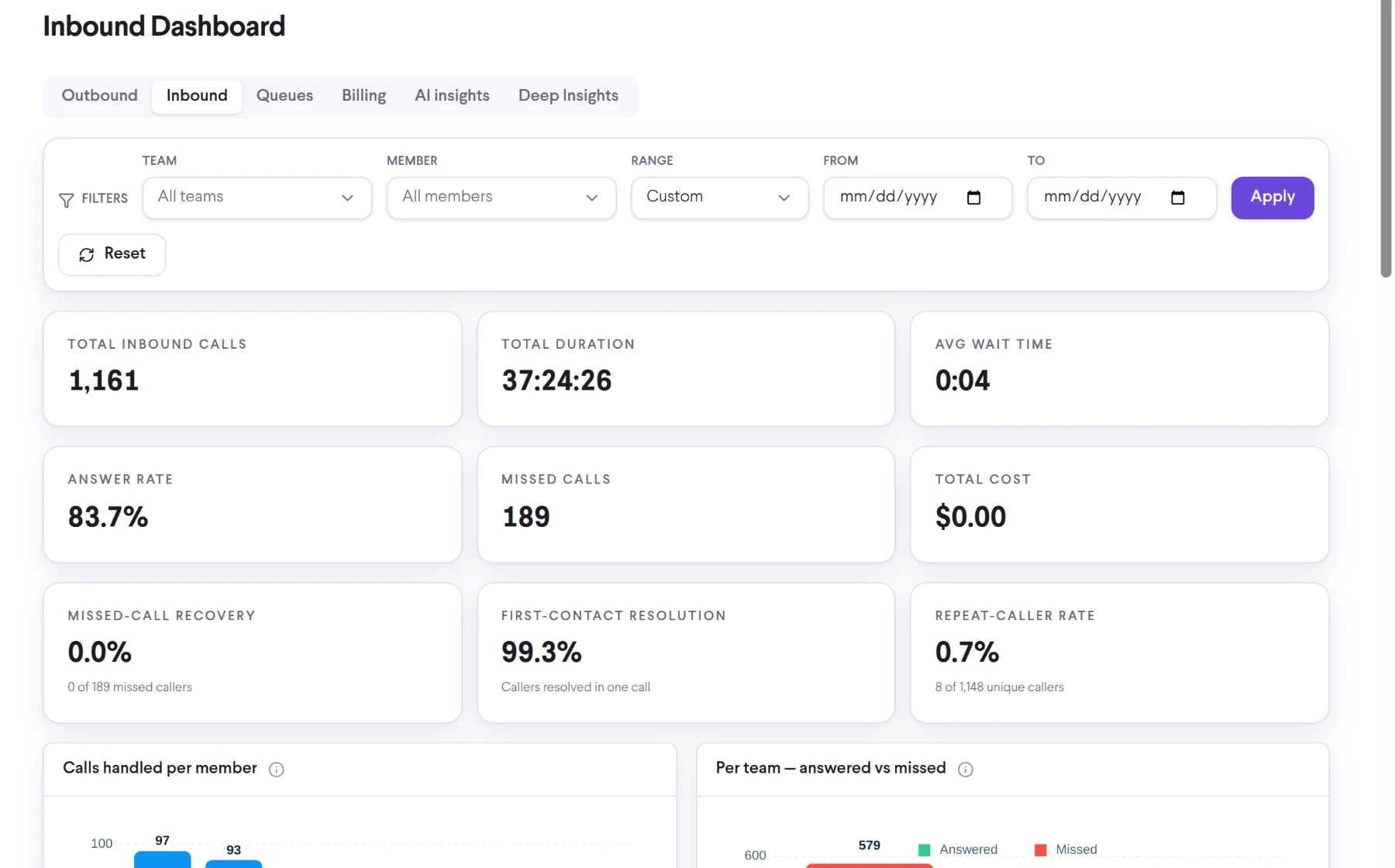
One number per clinic, routed by working hours.
Build the path in a visual editor: working hours, an IVR menu for appointments, billing and results, queues for each desk, an AI agent and voicemail. Change it yourself, no ticket to IT.
- Working hours per clinic and team
- IVR menu, queues and ring groups
- Failover to a mobile number or voicemail

An AI receptionist that books the appointment.
An AI voice agent answers in Gulf Arabic, other Arabic dialects or English, answers from your clinic FAQ and price list, checks Google Calendar and books the slot. When a caller needs a person, it transfers to reception. Every call comes back with a transcript, an outcome and its cost.
- Knowledge from your own documents
- Google Calendar, your booking API or MCP tools
- Transfer to a person when asked
AI Voice Agents: $0.15 per connected minute, or the usage-based cost of the call if that is higher, charged from your wallet. A call starts only when the wallet holds at least $10.
See AI Voice Agents
Appointment reminders that call for you.
Upload tomorrow’s list and an AI agent calls each patient inside the hours you set, confirms or reschedules, and retries the ones who did not pick up. The do-not-call list is checked before every dial.
- Calling window, timezone and retries
- Do-not-call check before every dial
- Confirmed, rescheduled and suppressed at a glance
AI Voice Agents: $0.15 per connected minute, or the usage-based cost of the call if that is higher, charged from your wallet. A call starts only when the wallet holds at least $10.
See outbound campaigns
Know which patient call needs a manager today.
With AI Call Intelligence on, recorded calls are transcribed in English, Arabic, Italian, French or Spanish, summarised and checked for escalations: a patient asking for a manager, a billing dispute left unresolved, a callback promised without a time. Each alert quotes the exact line.
- High, Medium and Low severity
- Your own rules in plain words
- Alerts by email or in a Cowork channel
AI Call Intelligence add-on on Growth and Professional: $10 per member per month, 1,500 minutes per member included, then $0.01 per minute.
See AI escalations
How a patient call moves through TalkChief.
- 01
Clinic number rings
Working hours decide the path: open, closed or holiday.
- 02
IVR or AI agent
Appointments, billing or results; after hours the AI front desk answers.
- 03
Right desk answers
Queues and ring groups reach scheduling or billing; failover covers no-answer.
- 04
Booked or escalated
The AI agent books in Google Calendar or transfers; with AI Call Intelligence on, AI flags calls a manager must see.
What we protect, and what stays your call.
Security on every plan
- AES-256 encryption at rest and TLS in transit
- Call recordings and files encrypted in object storage
- Encrypted, access-controlled databases
- Roles for admins, supervisors and agents; supervisors see only their teams
No HIPAA certification is claimed
This page does not claim HIPAA certification or automatic compliance. Compliance depends on your contract, configuration, data flows and obligations; review the deployment with your legal, privacy and security team.
Administrative calls, not clinical advice
TalkChief routes calls and the AI agent follows the instructions and knowledge you give it. Keep clinical questions with qualified staff by configuring transfer rules. TalkChief does not provide emergency calling.
You decide what is recorded and analysed
Call recording is on Growth (kept 1 year) and Professional (kept 2 years). AI transcription is switched on for the company, a team or a member, for the call types you pick; internal calls are never transcribed. Tell callers about recording and transcription as your local rules require.
Official references: HIPAA Security Rule (U.S. Department of Health & Human Services) · Guide to the Saudi Personal Data Protection Law (Saudi Data & AI Authority)
TalkChief for healthcare: common questions.
Plans: Essential $8, Growth $13, Professional $17 per member per month, billed annually.
Compare plansIs TalkChief HIPAA compliant?
TalkChief does not claim HIPAA certification or automatic compliance. Compliance depends on the service scope, contract, configuration, data flows, safeguards and your organisation’s obligations. Data is encrypted with AES-256 at rest and TLS in transit; review the proposed deployment with qualified legal, privacy and security stakeholders.
Can the AI voice agent book appointments?
Yes. An AI voice agent can check and create events in Google Calendar, or call your own booking API or MCP tools, and transfer the caller to reception when needed. It speaks Arabic dialects and English and answers from the documents you upload. AI Voice Agents cost $0.15 per connected minute, or the usage-based cost of the call if that is higher, from your wallet.
Can TalkChief replace clinical triage?
No. TalkChief routes calls and handles administrative requests you configure; clinical assessment, advice and emergency response stay with authorised healthcare services. TalkChief does not provide emergency calling.
Can patient calls be transcribed?
Yes, with the AI Call Intelligence add-on on Growth or Professional. Recorded inbound, outbound and queue calls are transcribed in English, Arabic, Italian, French and Spanish; internal calls and calls shorter than your minimum are skipped. Decide recording, notice and retention rules with your privacy team first.
Can it connect to our appointment system?
The AI agent works with Google Calendar out of the box and can call your booking API or MCP tools. Call activity syncs to HubSpot, Pipedrive, Zoho CRM, Powerlink and Comeunity when connected and enabled. An EHR or practice-management connection is scoped project work.
Hear the complaint, the threat, the churn signal, without listening to every call.
TalkChief for finance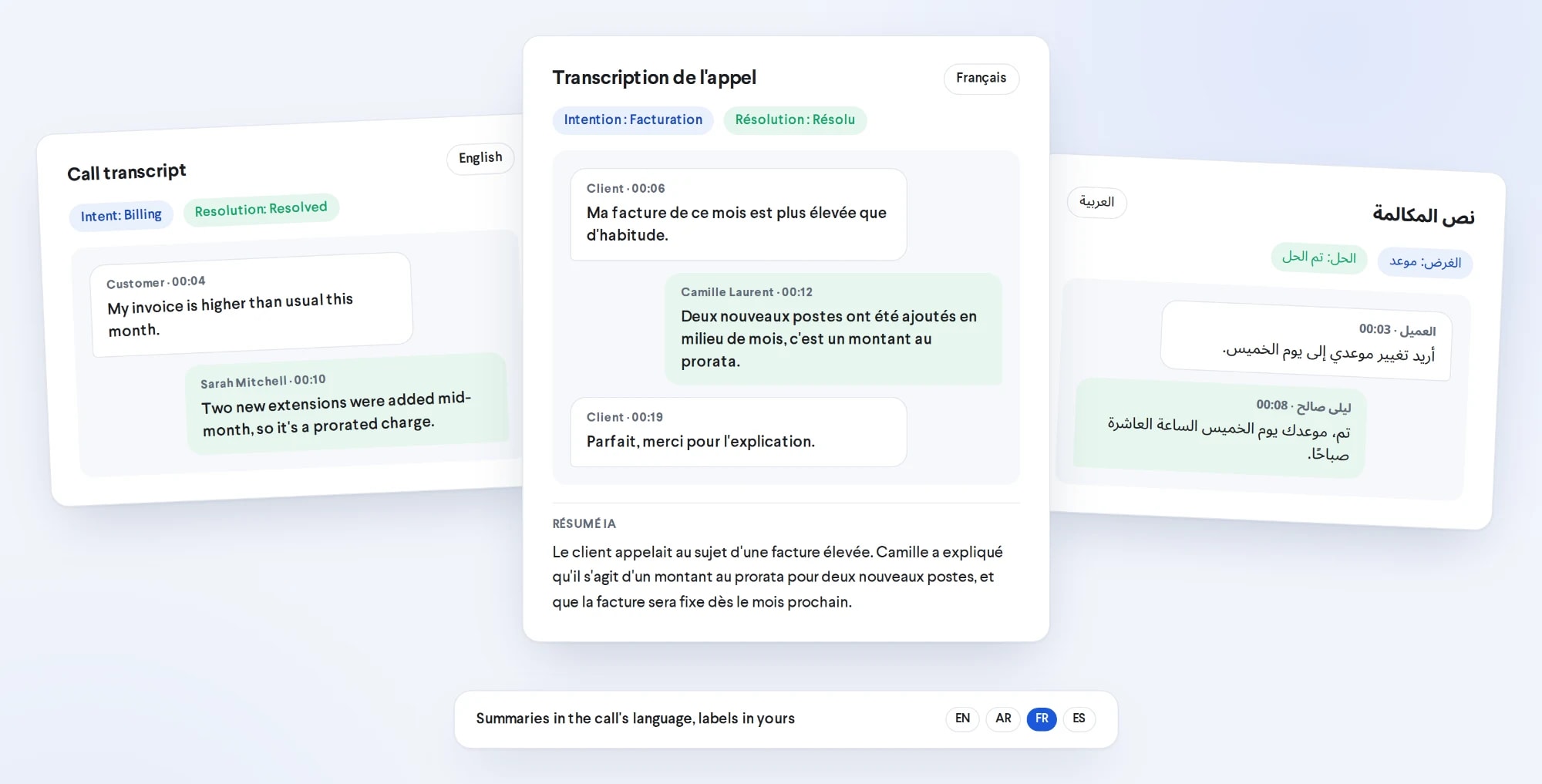
Citizen calls, routed and heard, in Arabic and English.
TalkChief for government