Understand where business calling costs are generated.
Give authorized operators a focused view of available call charges and how they are distributed across teams, members, numbers, and selected reporting periods.
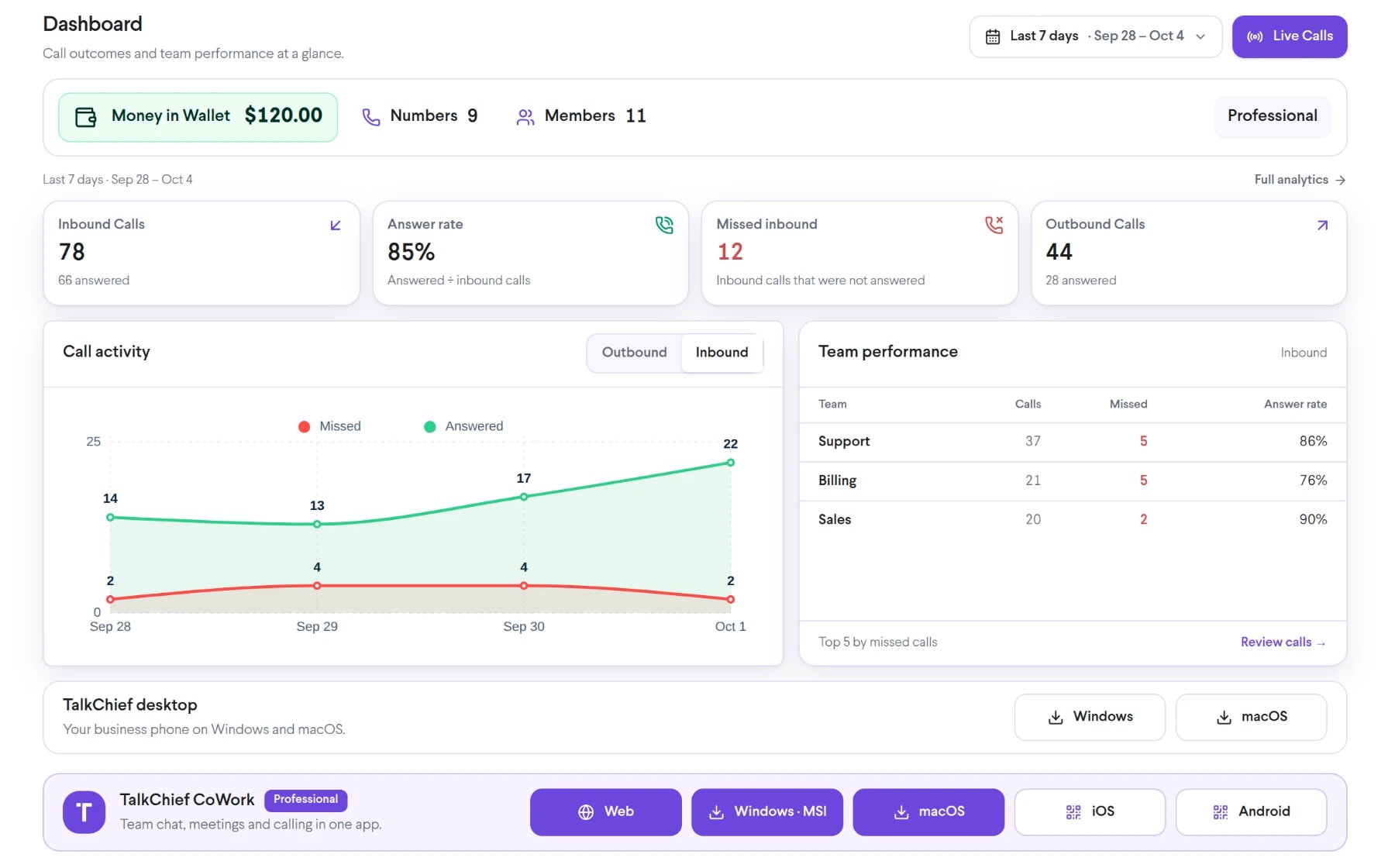
What is TalkChief Finance Dashboard?
Review available TalkChief calling costs by reporting period, team, member, and number so operations and finance can investigate communications spend.
Connect communications activity with cost ownership.
Use finance dashboard when it solves a defined operating need, has an accountable owner, and fits the wider customer journey.
Review spend by owner
Use supported team, member, and number dimensions to understand which workflows generated available calling charges.
Investigate changes
Compare selected periods and call activity when a total or cost pattern needs explanation.
Support accountable reviews
Give finance and operations a shared starting point for checking usage, configuration, and budget questions.
Move from a cost total to the call activity behind it.
Treat the feature as an owned workflow: define its input, control the processing step, test the outcome, and keep a fallback for exceptions.
- Input
Set the reporting scope
Choose the relevant account, period, timezone, currency context, and available organizational filters.
- Control
Inspect the distribution
Review supported cost totals by team, member, number, direction, or other available dimension.
- Outcome
Reconcile and follow up
Compare the dashboard with call records and billing documentation before making a financial decision.
Launch with a checklist and observable signals.
The useful question is not only whether a feature is enabled, but whether its complete workflow behaves as intended.
- Confirm the intended currency, timezone, reporting period, and account scope
- Restrict financial views and exports to the roles that need them
- Document how operational totals are reconciled with invoices and adjustments
- Assign an owner for changes, user support, and periodic review.
- Test the primary path, exceptions, permissions, and a documented fallback.
- Total available calling charges for the selected period and scope
- Cost distribution across supported team, member, and number dimensions
- Material variance that requires reconciliation with call records or billing data
Monitor these signals where the relevant data is available; they are operating checks, not guaranteed built-in dashboard fields.
Confirm the boundaries before production rollout.
The finance dashboard is an operational view, not a statutory accounting ledger. Fields, refresh timing, currencies, taxes, adjustments, history, and access depend on the account, provider data, plan, and reporting configuration.
Confirm the account scope
Feature access and advanced controls can vary by subscription, account configuration, country, provider, endpoint, and integration.
Limit access deliberately
Treat cost and usage exports as confidential business data and review access regularly.
Validate the operating policy
Validate totals before distribution because late records, credits, taxes, and provider adjustments can change the formal amount.
Connect finance dashboard to the wider workflow.
Follow adjacent feature guides and the canonical platform pages responsible for the complete product workflow.
Interactive BI Dashboards
Explore TalkChief call-center and communications data through interactive dashboards with available filters, charts, and operating views.
Explore Interactive BI Dashboards →AnalyticsComprehensive Call Reports
Review and share structured TalkChief call reports covering activity, outcomes, duration, teams, members, and available financial data.
Explore Comprehensive Call Reports →AnalyticsCustom Reports on Demand
Create focused TalkChief call reports around the metrics, teams, time periods, and operating questions your business needs to review.
Explore Custom Reports on Demand →Commercial ownerReview TalkChief plans and published rates
Use the current pricing page for plan context, then confirm account-specific commercial terms with TalkChief.
Open owner page →Platform ownerSee analytics in the contact-center workflow
Connect operational visibility with routing, supervision, call records, and team ownership.
Open owner page →Capability directoryReview every TalkChief feature
Compare analytics with the phone-system, contact-center, productivity, and Cowork capabilities it measures.
Open owner page →
TalkChief