Issue → product → outcome
See the most frequent issues, the product each was about and how the calls ended: resolved, not resolved, unclear or escalated.
Deep Insights turns individual transcripts into a picture of your business, so you can see which problems drive unresolved calls and churn risk.
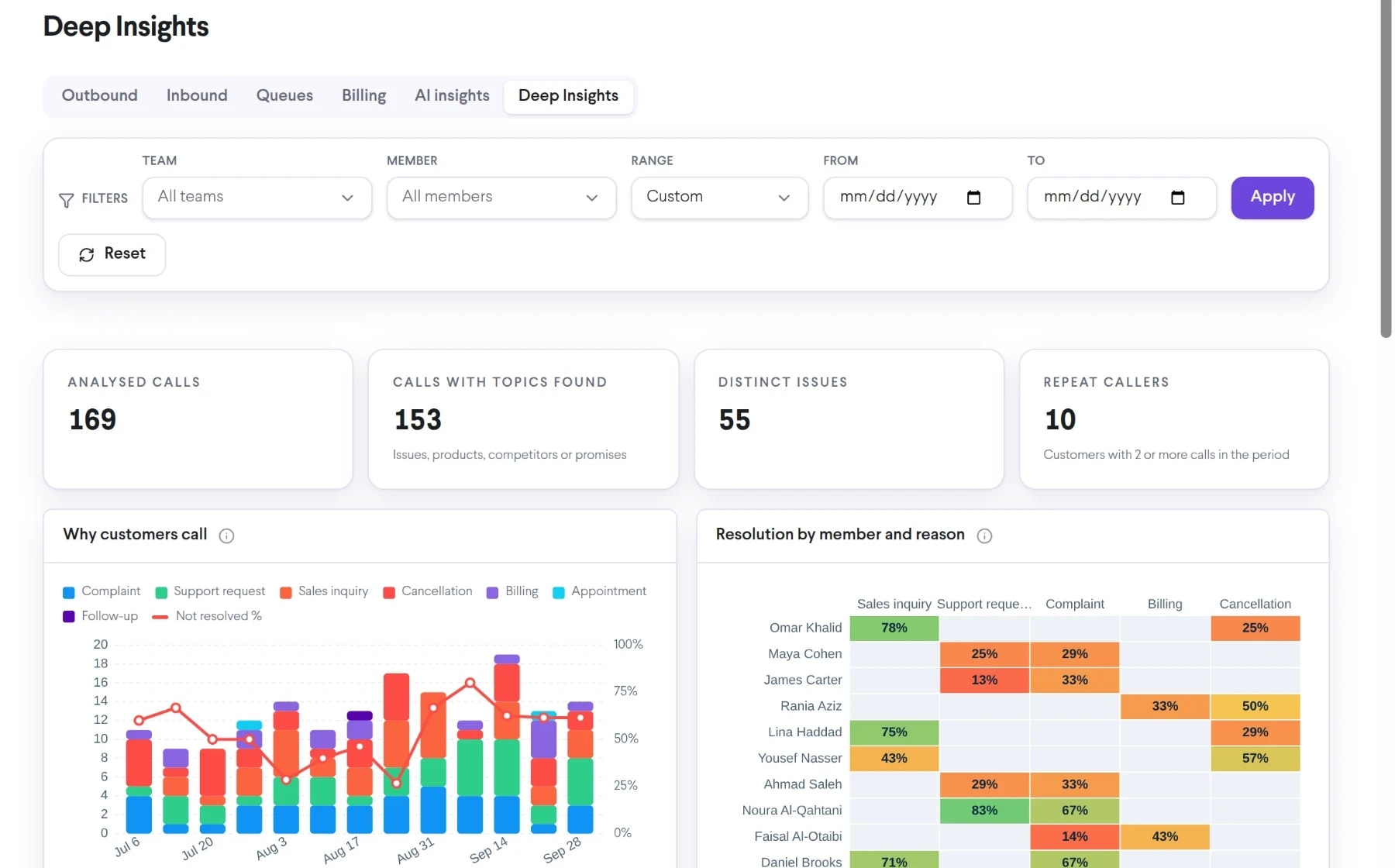
Bring deep insights dashboard into the same connected experience as your business calls, customer conversations, and team collaboration.
See the most frequent issues, the product each was about and how the calls ended: resolved, not resolved, unclear or escalated.
See which competitors customers mention and what share of those calls carry churn risk, with the customer’s original wording.
See the customers who keep calling back and the issues they called about, shown as Caller #1, Caller #2 without their numbers.
See how deep insights dashboard moves from setup to everyday use inside TalkChief.
Go to Insights > Dashboards and select the Deep Insights tab, next to AI insights.
Look for issues with a wide Not resolved or Escalated band: a process fix or help article there saves the most calls.
A caller with several calls on one issue is a customer to call back first.
Explore related capabilities that bring calling, customer service, and teamwork together.
Track customer sentiment, resolution, escalations and why customers call, with team and member scorecards and charts that explain themselves.
Explore AI Insights Dashboard →Cowork + AITalkChief flags transcribed calls that need a supervisor, with severity, reasons and the exact line, plus your own escalation rules and team alerts.
Explore AI Escalations →AnalyticsAnalyze call volume, answer patterns, talk time, agent activity, and queue performance in TalkChief call center dashboards.
Explore Call Center Analytics →Contact centerConnect reporting with routing, supervision, call records, and team performance.
Explore →All featuresDiscover business phone, contact-center, productivity, analytics, and Cowork features.
Explore →