Key numbers
Calls analyzed, customer sentiment, resolution rate, escalation rate, complaint rate and churn-risk calls, compared with the previous period where earlier data exists.
The AI insights dashboard turns analyzed calls into trends: how customers feel, which calls get resolved, why customers call and where escalations come from.
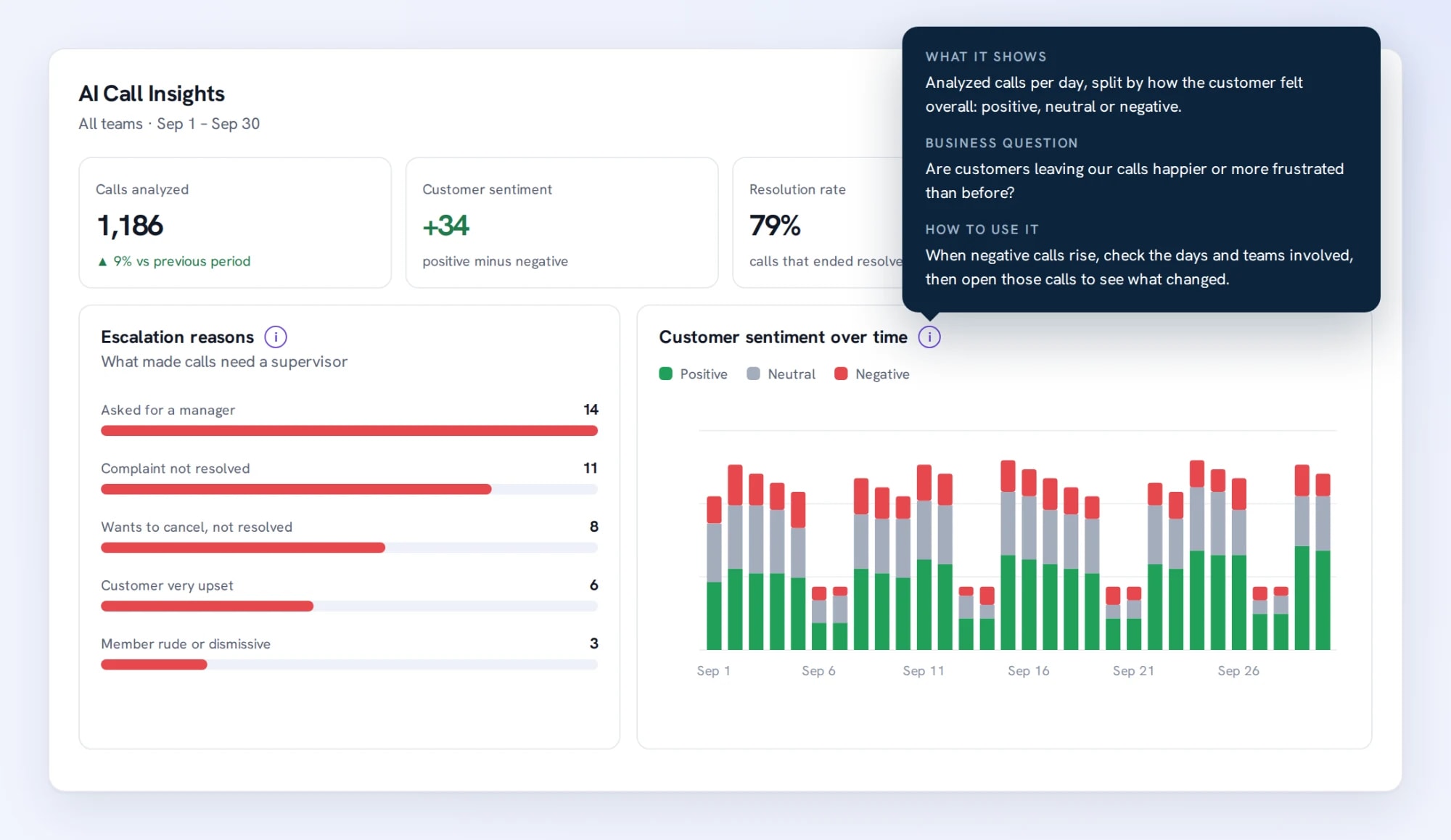
Bring ai insights dashboard into the same connected experience as your business calls, customer conversations, and team collaboration.
Calls analyzed, customer sentiment, resolution rate, escalation rate, complaint rate and churn-risk calls, compared with the previous period where earlier data exists.
Every chart has an info button with what it shows, the business question it answers and how to use it.
Compare sentiment, resolution, escalations, member tone and talk share across teams and members.
See how ai insights dashboard moves from setup to everyday use inside TalkChief.
Go to Insights > Dashboards and select the AI insights tab.
Choose a date range and optionally a team and a member.
Use When problems happen to plan staffing, and open the transcripts behind a trend before acting.
Explore related capabilities that bring calling, customer service, and teamwork together.
Deep Insights connects what customers talk about across calls: reasons, issues and products, outcomes, competitor mentions with churn risk and repeat callers.
Explore Deep Insights Dashboard →Cowork + AITalkChief flags transcribed calls that need a supervisor, with severity, reasons and the exact line, plus your own escalation rules and team alerts.
Explore AI Escalations →AnalyticsExplore TalkChief call-center and communications data through interactive dashboards with available filters, charts, and operating views.
Explore Interactive BI Dashboards →Contact centerConnect reporting with routing, supervision, call records, and team performance.
Explore →All featuresDiscover business phone, contact-center, productivity, analytics, and Cowork features.
Explore →