Track core call activity
Review inbound and outbound volume, answered and missed calls, and duration trends.
Turn operational call data into a clearer view of volume, responsiveness, team activity, and service patterns.
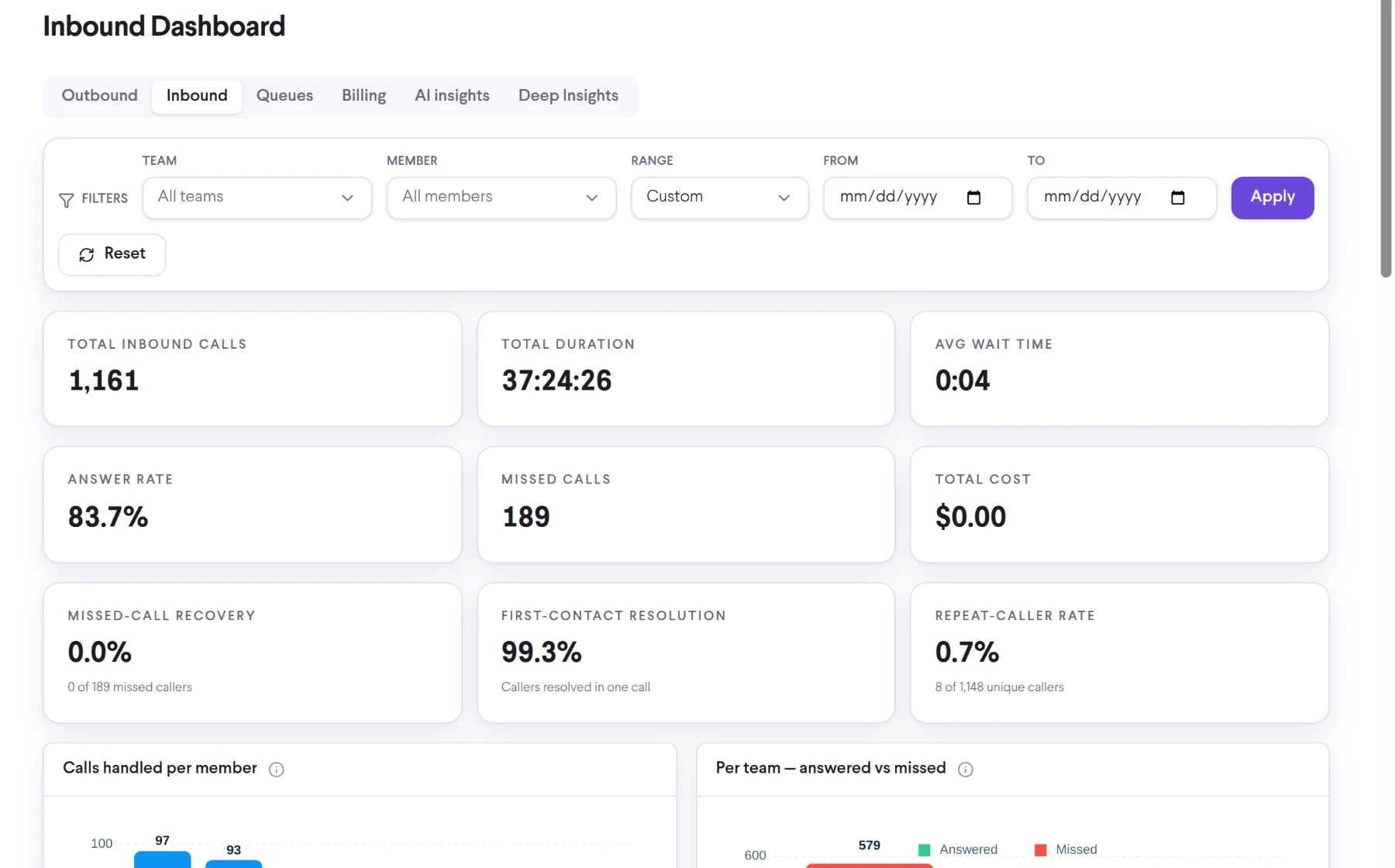
Bring call center analytics into the same connected experience as your business calls, customer conversations, and team collaboration.
Review inbound and outbound volume, answered and missed calls, and duration trends.
Use available filters to understand how activity is distributed across the organization.
Use historical patterns to inform staffing, coaching, routing, and workflow decisions.
See how call center analytics moves from setup to everyday use inside TalkChief.
Filter the dashboard by date, team, member, direction, or other available dimensions.
Compare volume, duration, answer behavior, and time-based trends.
Use the findings in staffing reviews, coaching sessions, and call-flow improvements.
Explore related capabilities that bring calling, customer service, and teamwork together.
Explore TalkChief call-center and communications data through interactive dashboards with available filters, charts, and operating views.
Explore Interactive BI Dashboards →AnalyticsReview and share structured TalkChief call reports covering activity, outcomes, duration, teams, members, and available financial data.
Explore Comprehensive Call Reports →AnalyticsFollow active and recent TalkChief call activity in a live operational feed designed for supervisors and contact-center teams.
Explore Live Call Feed →Contact centerConnect reporting with routing, supervision, call records, and team performance.
Explore →All featuresDiscover business phone, contact-center, productivity, analytics, and Cowork features.
Explore →